

Feature UpdateImprovementsFixesAPI
Posts Report & Custom Date Range Filters
Completed September 14, 2026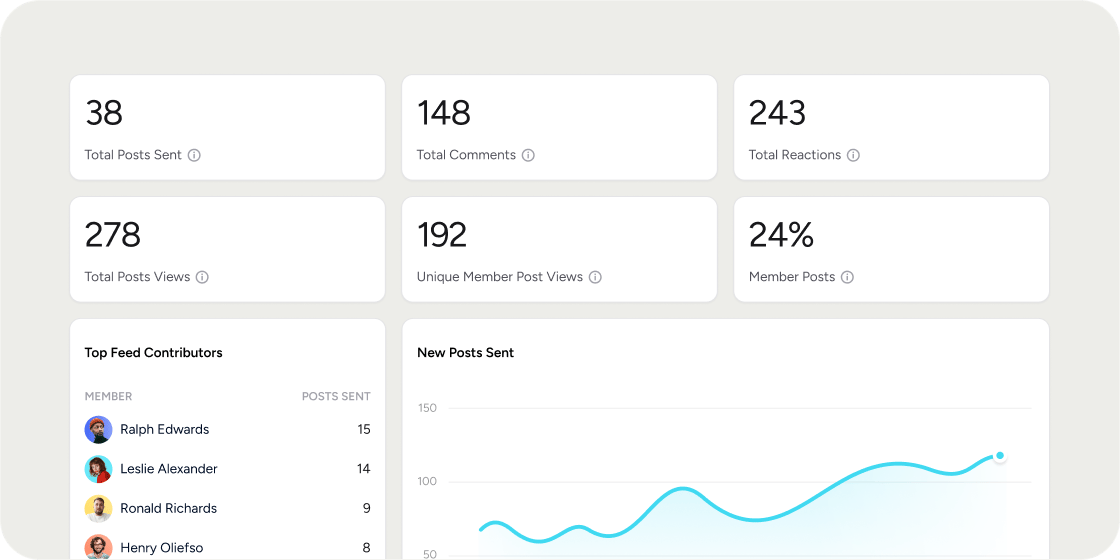
- View Post Views and Unique Member Post Views in Academy Insights.
- Explore post engagement trends and top-performing posts, with exports available for deeper analysis.
-
Subscribe to the new
engagement.user_viewed_postwebhook and accesspost_viewedactivity through the engagement API.
- Select 7 days, 30 days, or a custom start and end date.
- Apply date ranges across Member reports, Program Active Members, Program Engagement Scores, Posts reporting, and Ask AI Conversations.
- Use the same selected range in reporting exports, including Ask AI CSV exports.
Improvements
Improvements
- Account email-domain: Account email-domain updates now handle existing users, invitations, and account links more safely.
- Membership benefits: Membership benefits now retain their associated Program.
- AI Image Generation: AI image generation now uses the latest supported image model for better image generation.
Fixes
Fixes
- Login link fix: Login links that pre-fill a member email no longer show an unrelated event message.
- Leaderboard fix: Engagement Score leaderboards now display the correct gold, silver, and bronze placements.
- Video-progress webhooks: Video-progress webhooks now load the required post content before delivery.
- Security updates: We’ve addressed some security vulnerabilities.
API
API
- Curriculum Module Details: The public engagement API now supports retrieving curriculum module details through
curriculumModule.read. - MCP Group Management: MCP now supports create and remove groups with
group.createandgroup.remove(NOTE: The Disco MCP is in closed beta)
Feature Launch
Registration Flow Improvements Are Now Generally Available
Completed September 1, 2026The improved registration flow is now enabled for every Academy, giving Members a faster registration experience with fewer screens and less friction. No changes to your Academy settings are required.See the original Disco Labs announcement for full details →Feature LaunchImprovementsFixesAPI
Aggregate Program Reports
Completed August 28, 2026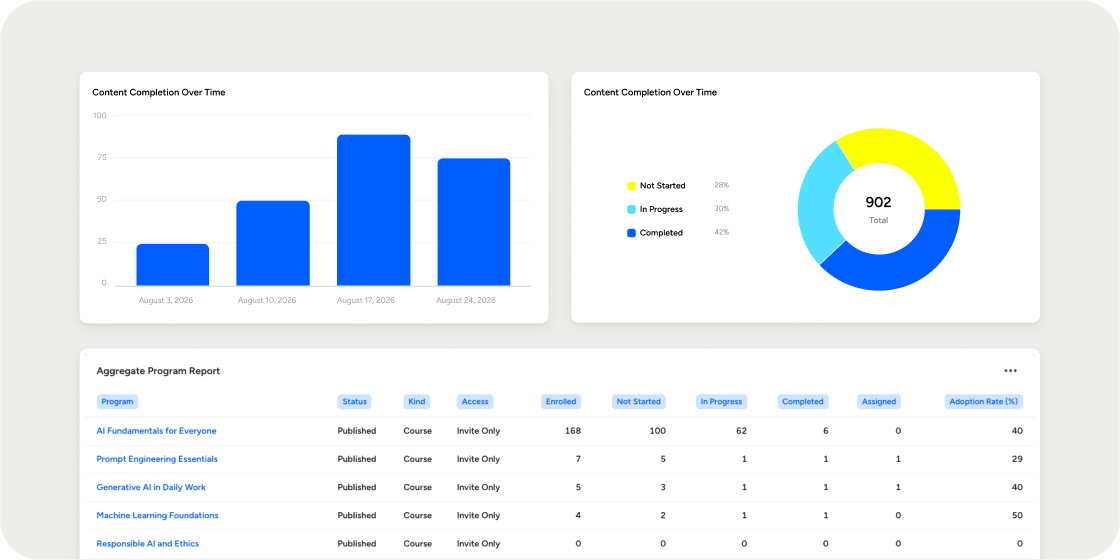
- Aggregate Program Insights: Table report of all programs with their status, type, tags, access, enrollment, progress, and avg engagement score.
- Curriculum Completion Breakdown: Visual summary of members who have completed, started, or not yet started a course (aggregate across all courses).
- Content Completion Over Time: Graph showing content engagement week by week.
Improvements
Improvements
- Product badges: Product badge imagery is now clearer and more consistent by using a transparent default icon for better visibility.
- Custom Labels support in emails: Emails sent by Disco now respect each organization’s configured terminology for labels.
- Search and AI Discoverability: Public Disco Academy pages can now be pre-rendered for search engines and AI crawlers.
- Event-series publishing: Publishing a recurring event now uses its next upcoming occurrence.
- Custom Curriculum title fix: The mobile experience now displays an academies configured curriculum label.
- Member-facing event copy: Events with an undecided location no longer expose admin-oriented wording to members.
- Restored calendar invites: Reactivating a member now restores their associated calendar events on their account.
Fixes
Fixes
- Lesson links: Valid links can once again be added in the editor without an incorrect URL warning.
- Cloned image for Program badges: Cloning a Program now clones the associated Program badge image that was uploaded.
- Service resilience: A failure in one recurring background task no longer brings down the service.
API
API
- Group Management: Admins can now add and remove groups and subgroups via the API. Two new endpoints have been added (group.create and group.remove). Both Academy and program groups can be managed by these two endpoints.
ImprovementsFixesAPI
Flexible Event Configuration & RSVPs
Completed August 21, 2026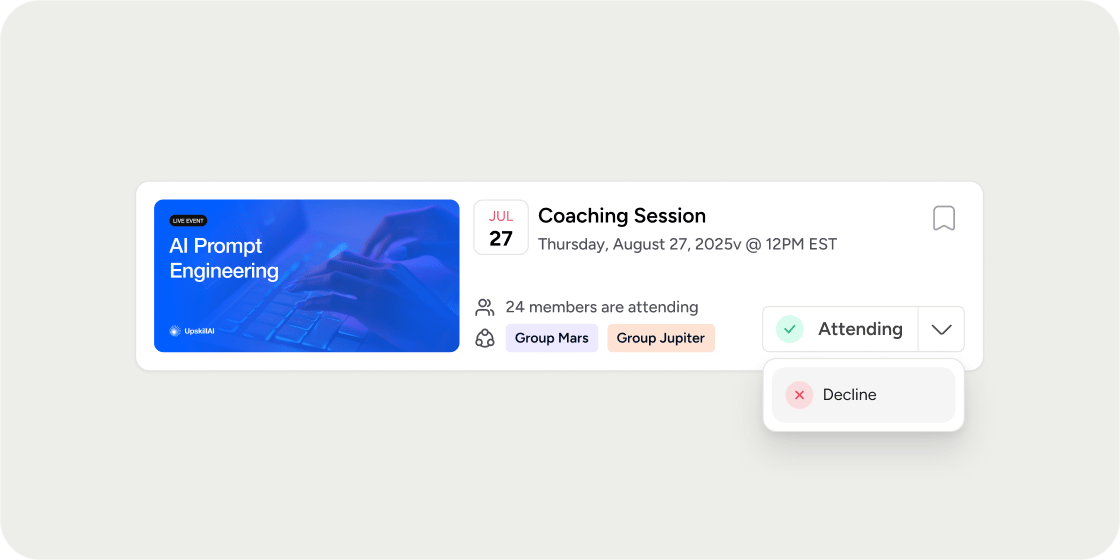
- Hosts can enter an exact event end time.
- Attendees can explicitly decline with a Not attending response.
- RSVP labels and button states now update correctly for guests and multi-event responses.
Improvements
Improvements
- Exact end times for Events: You can now choose an exact end time for an event, instead of just 15 minute intervals.
- Clearer AskAI errors: Members now receive a useful message when AskAI cannot complete a response.
- Direct Content links: Admins can copy a link directly to a collection folder or content module.
- Dashboard deep links: Links now open the intended Academy or Program dashboard directly.
- Branded Assignment covers: Curriculum cover generation now handles assignments more consistently.
- Membership payment guidance: Documentation now clearly explains how to stop membership payments.
- Sign Up & Registration: Registration is now more secure and reliable. Multi-factor authentication is now part of the Academy sign-up flow, making it more secure and reliable.
Fixes
Fixes
- Application approvals: Fixed an error that prevented Admins from accepting applications submitted through checkout.
- Certificate messages: Newly added certificate release messages now save correctly.
- Draft membership errors: Admins now see the reason a member cannot be added to a draft plan.
- Security updates : Updated affected dependencies to address vulnerabilities.
- MFA Redirects: Fixed redirects after MFA during product and plan registration. Draft and private membership plans no longer affect displayed pricing. Guest events in private communities no longer show an unavailable join option.
API
API
- Pass/fail assignment grading: Integrations can now review assignment submissions and record pass/fail outcomes through the API.
- Added an endpoint for reviewing assignment submissions.
- Enabled programmatic pass/fail grading for connected workflows.
API
Member Completion API End Points & Fixes
Completed August 13, 2026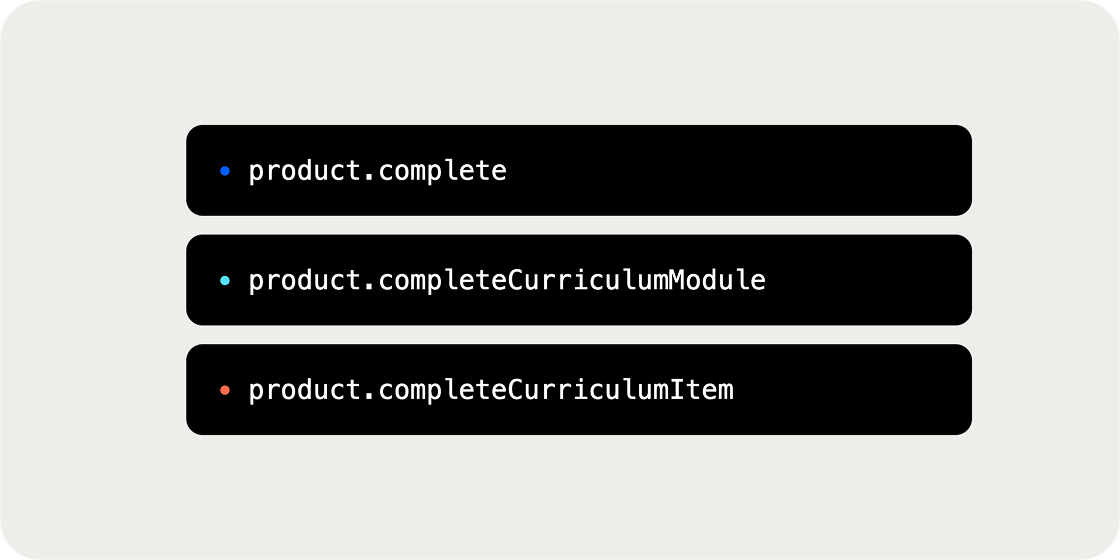
product.completeproduct.completeCurriculumModuleproduct.completeCurriculumItem
complete_all_children: marks every child item under that product or module as complete in the same call.mode: set toalloworsuppressto control whether notifications, certificates, automations, webhooks, and Zapier actions fire during the import.
Fixes
Fixes
- Curriculum reliability: Resolved an incident that could cause curriculum content to disappear for affected academies.
- Analytics: Corrected cases where completion could appear without a corresponding viewed status.
- Captions: Custom captions are no longer unexpectedly replaced.
- Calendars: Removed product events now disappear correctly from connected calendars.
Improvements
Improvements
- SSO: Connection-detail changes, including SSO URL and Entity ID updates, now persist correctly.
- Posts: Editing a published post now preserves its true publish date.
- Mobile assignments: Restored comments on mobile assignment experiences.
Improvements
Mobile App Home Improvements
Completed July 30, 2026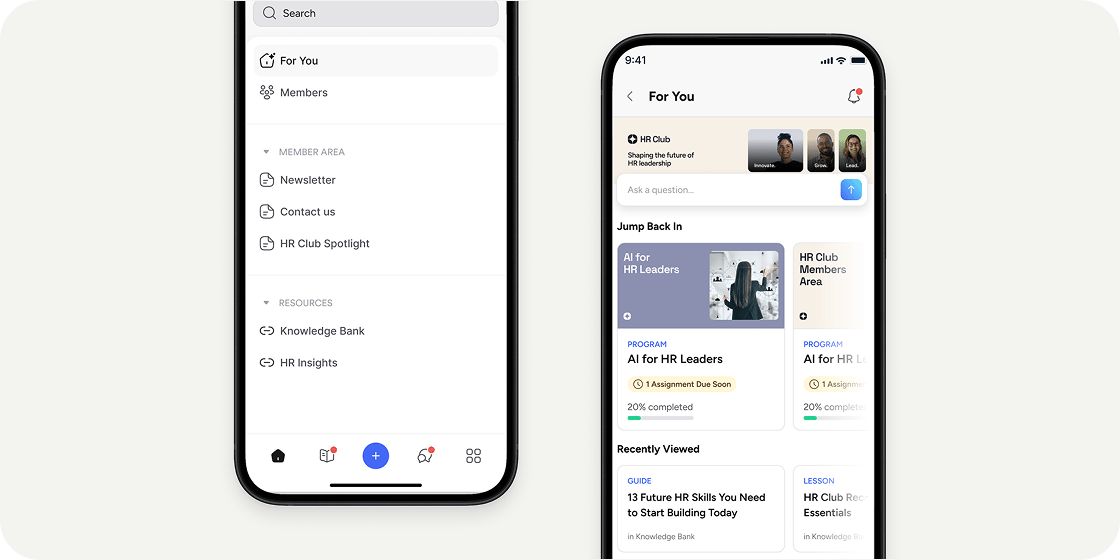
Fixes
Fixes
- Video playback issues: Resolved an issue causing videos within content to fail or stall during playback.
- Mobile navigation bugs: Improved bugs present in navigation paths through program curriculums and content.
Improvements
Registration Flow Improvements
Available in Disco Labs on July 29, 2026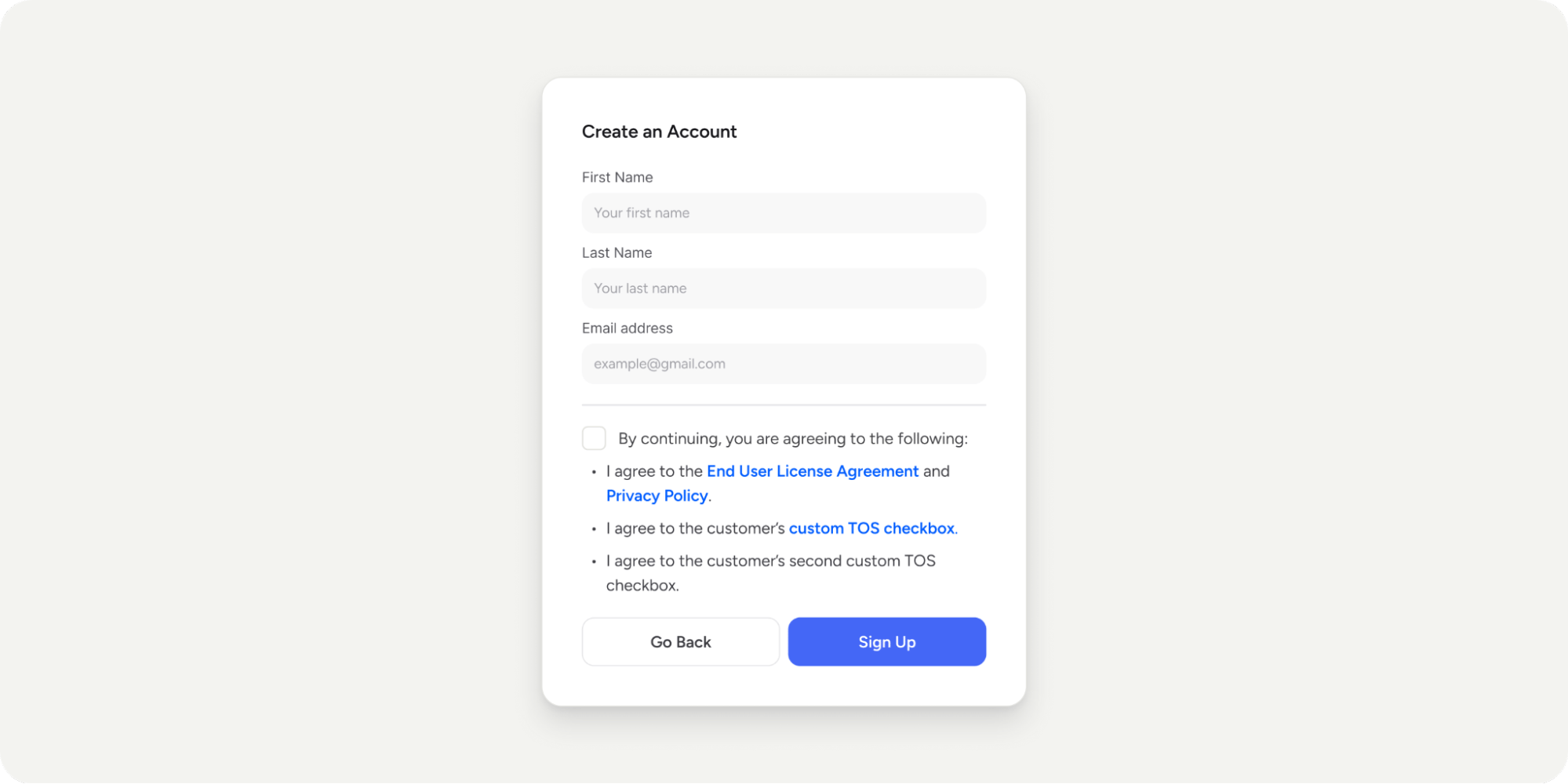
- We’ve removed unnecessary screens and buttons so Members reach what they’re signing up for in less time.
- For Programs with an application, we’ve removed the “Start Application” button and now show the application form immediately.
- Disco’s terms and your custom registration terms now live on a single page and are accepted with one click.
- The terms checkbox appears only once—when signing up for a new account. It won’t show up again for an existing Member signing up for new Programs. No more duplicate terms or double registration checkboxes.
- After registering for a Program, Members are taken straight to the Program dashboard where they see instant value. They no longer need to navigate to the Program from the academy home page.
- If Member onboarding is enabled, Members first land on the Program dashboard so they can see what they registered for. After they interact with the page—for example, by clicking or scrolling for a few seconds—the Member onboarding modal fades in, and they continue with onboarding as usual.
- The default free Membership Plan no longer appears alongside paid Programs during a purchase if your academy doesn’t have Membership Plans enabled.
- It’s shown only when multiple Membership Plans are available, and a Member explicitly selects it.
Feature Launch
Two-Factor Authentication
Launched on July 22, 2026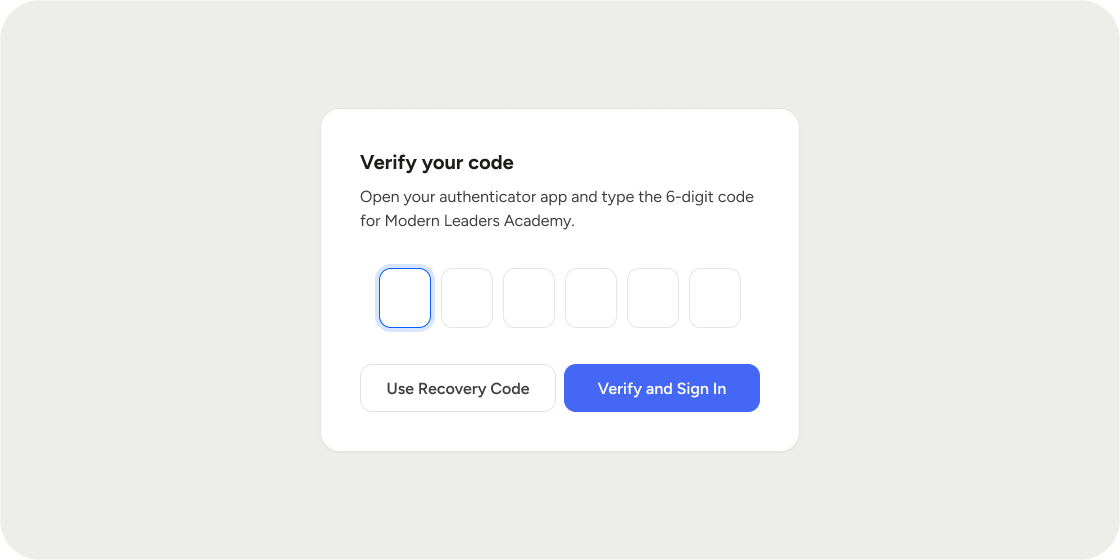
- Turn on 2FA for your own account anytime from Profile Settings → Account.
- Set up in a few steps by scanning a QR code with your authenticator app.
- Save single-use recovery codes to get back in if you ever lose access to your app.
- Require 2FA across the entire Academy from Settings → Registration, so every Member enrols at their next sign-in.
- Track enrolment from the members list with a new 2FA column and filter, also included in CSV exports.
- When Enterprise SSO (SAML) is enabled, the second factor is handled by your identity provider and Disco’s own 2FA controls are turned off.
Feature LaunchImprovements
Reporting Improvements
Launched on July 20, 2026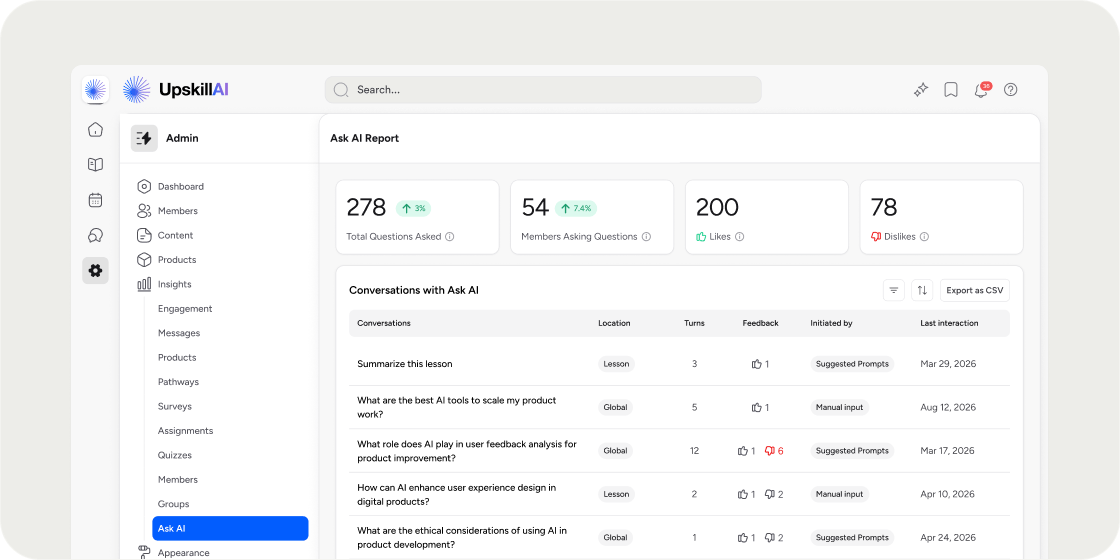
Feature LaunchDisco Labs
Knowledge Check
Launched on July 13, 2026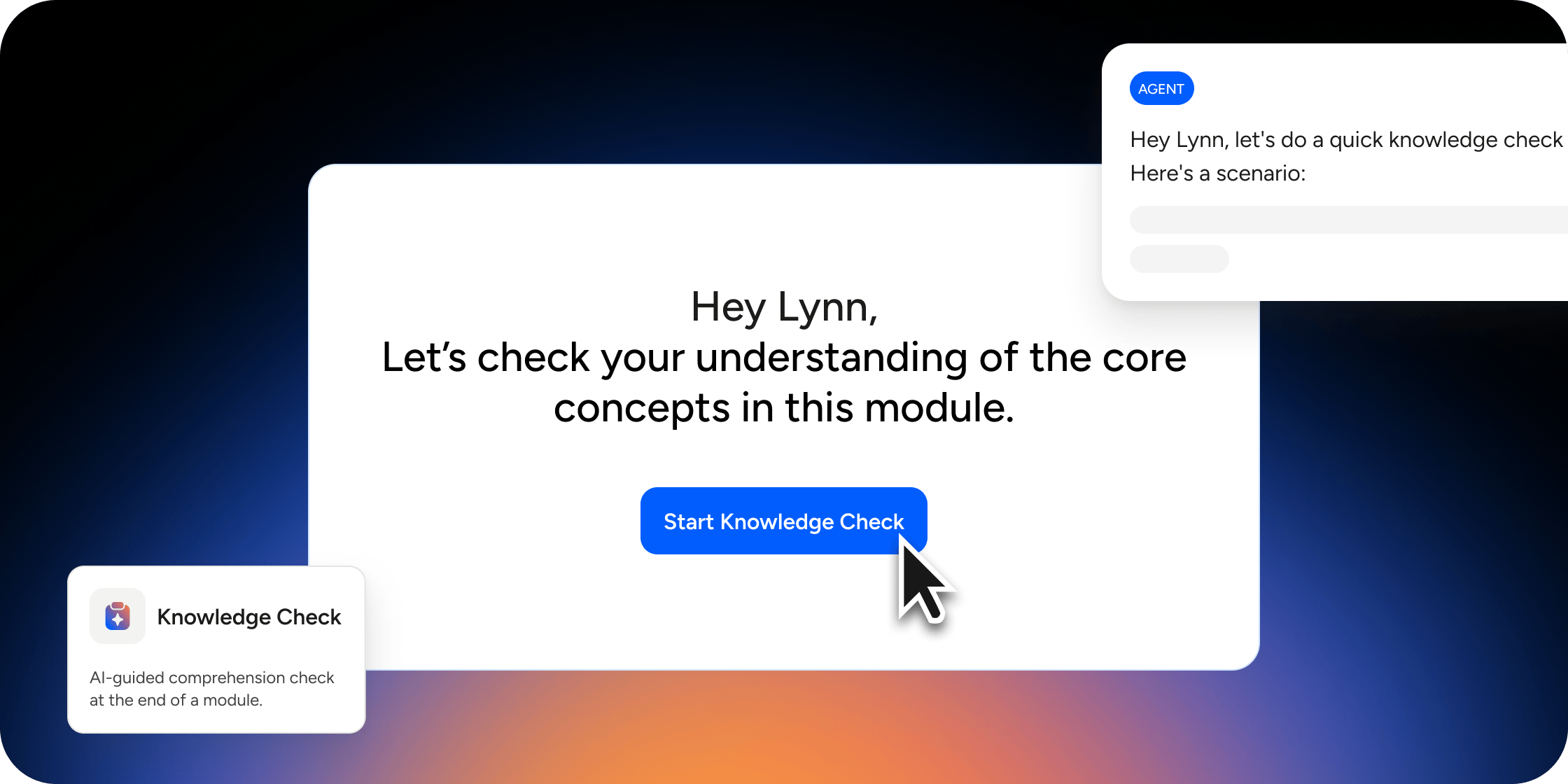
Improvements
Customize Pass/Fail Labels
Launched on July 3, 2026Some programs don’t want “pass” and “fail” attached to every graded assignment. Now you can relabel that language to match your program’s tone.Admins can now set custom labels for “Passed” and “Failed” everywhere assignment results show up: when marking a submission, and on the status chip members and admins see on marked assignments.Email notifications got a matching update. Members now receive “Your assignment has been marked” instead of “You passed/failed your assignment,” so the language stays neutral even when you keep the default labels.Available now for all customers.Learn more →Improvements
Assignments View Improvements
Launched, June 18, 2026Assignments now follow the same layout and styling as other lesson types, making it easier for members to move through content without the experience feeling disjointed.You can still add a cover image, video, or embed at the top of any assignment, and instructions and submissions work exactly as before. The View Instructions and Submit actions remain accessible through the standard lesson UI and the assignment submission form, respectively.What’s changed:- Assignment views now match the layout and styling of standard lessons.
- Cover image, video, and embed support at the top of assignments remains intact.
- View Instructions and Submit actions are accessible through the same lesson UI patterns.
- Quizzes and Surveys are unchanged through this update.
Improvements
New Help Centre & Default Labels
Launched on June 9, 2026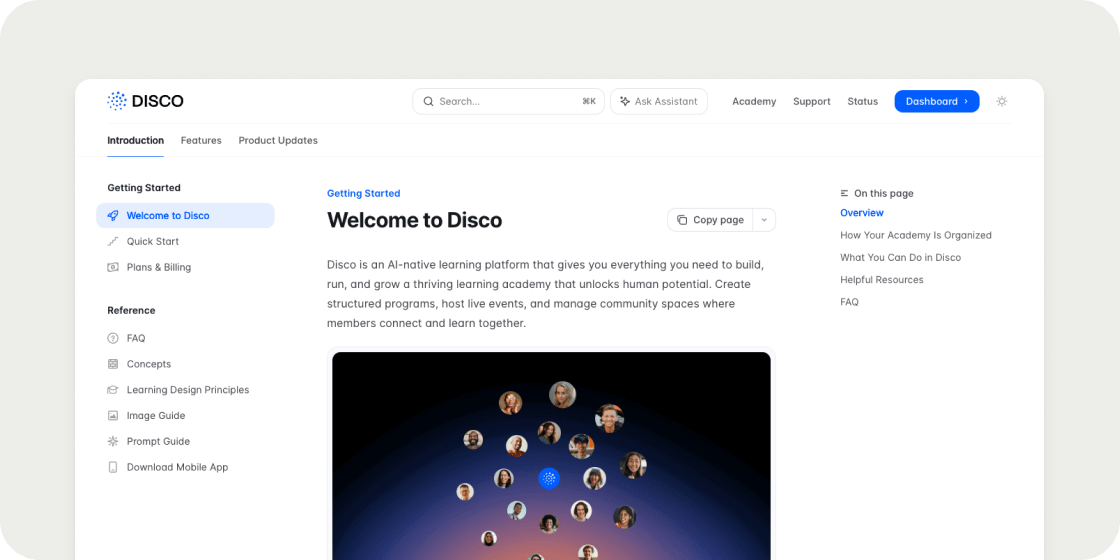
- More detailed documentation on how to use Disco to deliver transformative learning
- Updated docs that reflect how Disco actually works today
- An AI-powered search so finding answers is faster
- A changelog so you’re always up to date on what’s shipped
Feature Launch
Bulk Create & Manage Groups
Launched on June 4, 2026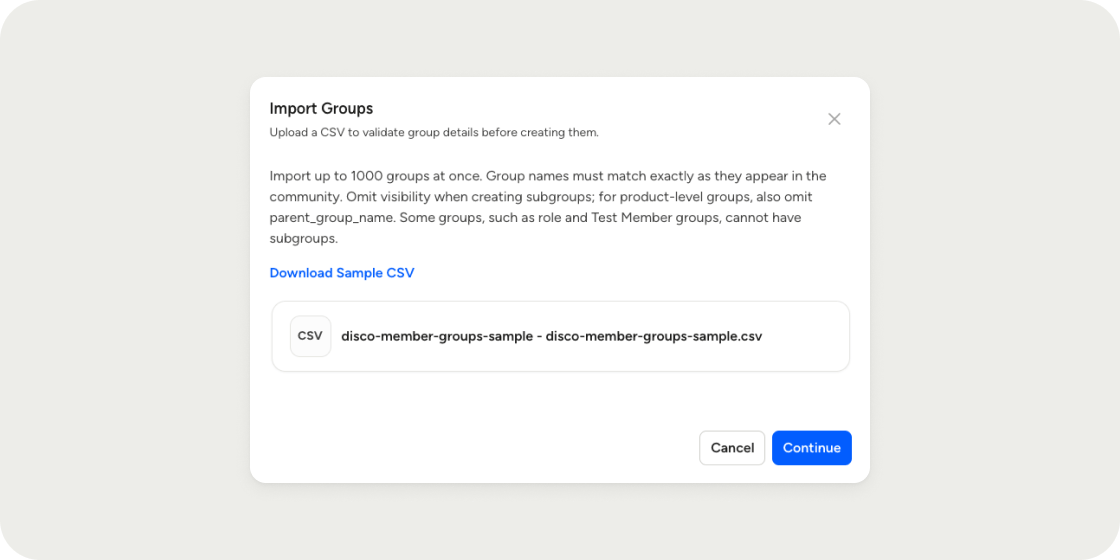
- To create a subgroup, its parent must already exist in the Academy or appear in an earlier row of the same CSV. Groups are created top-down.
- Both Academy-level and Program-level groups can be included in the same file.
All historical changelog updates prior to June of 2026 were captured as a monthly product roundup update. The below updates highlight the larger platform changes for that month.
May 2026
Launched on May 30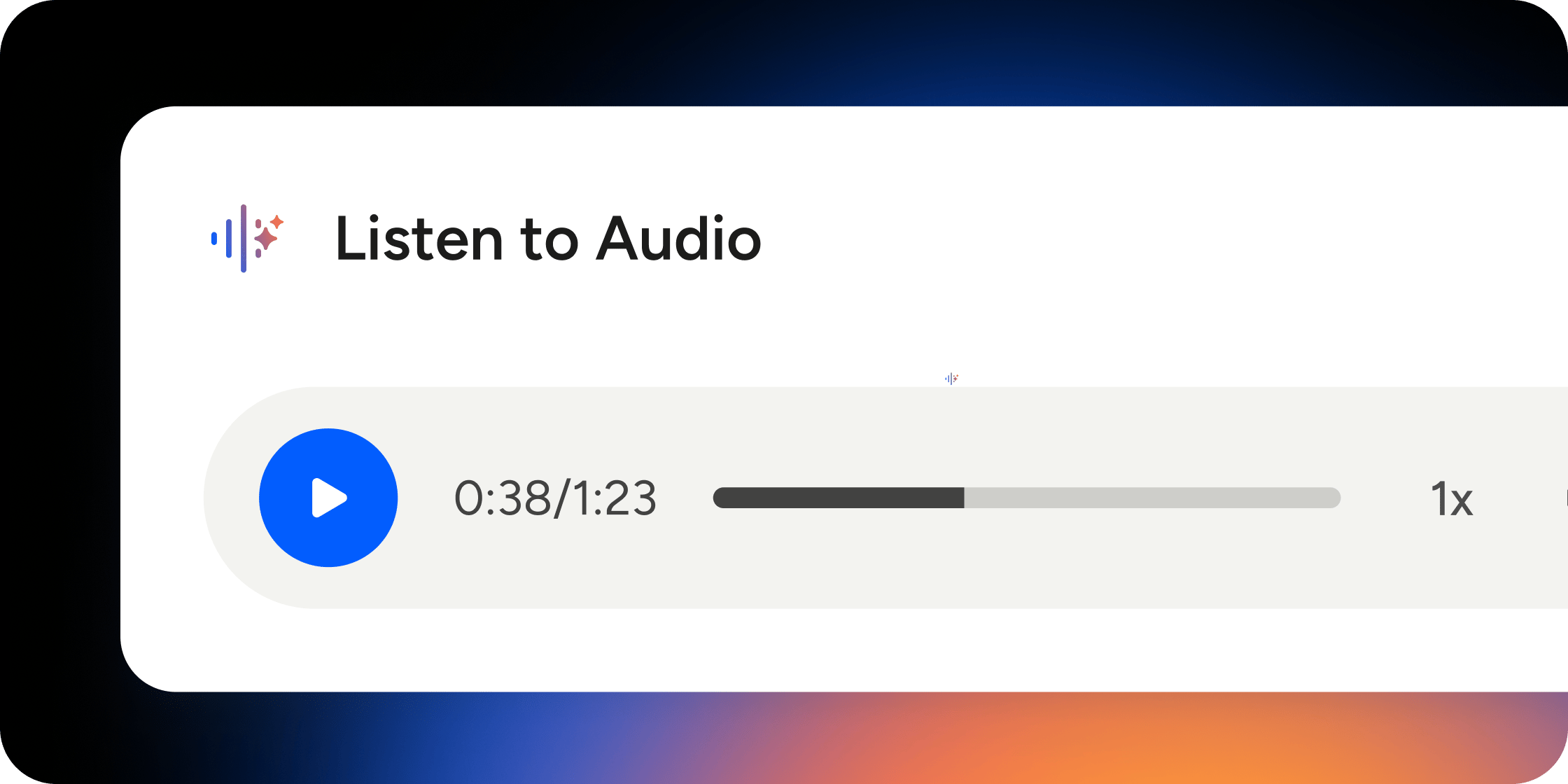
- Added audio as a first-class content type
- Shipped mobile audio playback improvements and polish
- Added support for synthetic audio across multiple languages
- Improved reporting for audio engagement and analytics visibility
- Extended audio support into lesson analytics and reporting workflows
- Content and assessment experiences got a meaningful polish pass, including better assignment completion flows, improved quiz and survey presentation, cleaner lesson layouts, and stronger mobile web usability.
- Admins can now access Program directly from the Product dropdown and updated Admin Settings navigation, making setup and management faster.
- SCORM and featured media workflows were improved with better defaults, polish, and support across creation and playback flows.
- Asset delivery was hardened with support for secured asset references through
/asset/<KEY>. - Fixed an issue where
@channelwas not working in production. - Fixed an API error on
/v1/group.addUsers. - Fixed rich text mention rendering that could display broken
@@@output instead of proper references. - Fixed several mobile issues, including home page media display problems and navigation issues from the app dashboard.
April 2026
Launched on April 30, 2026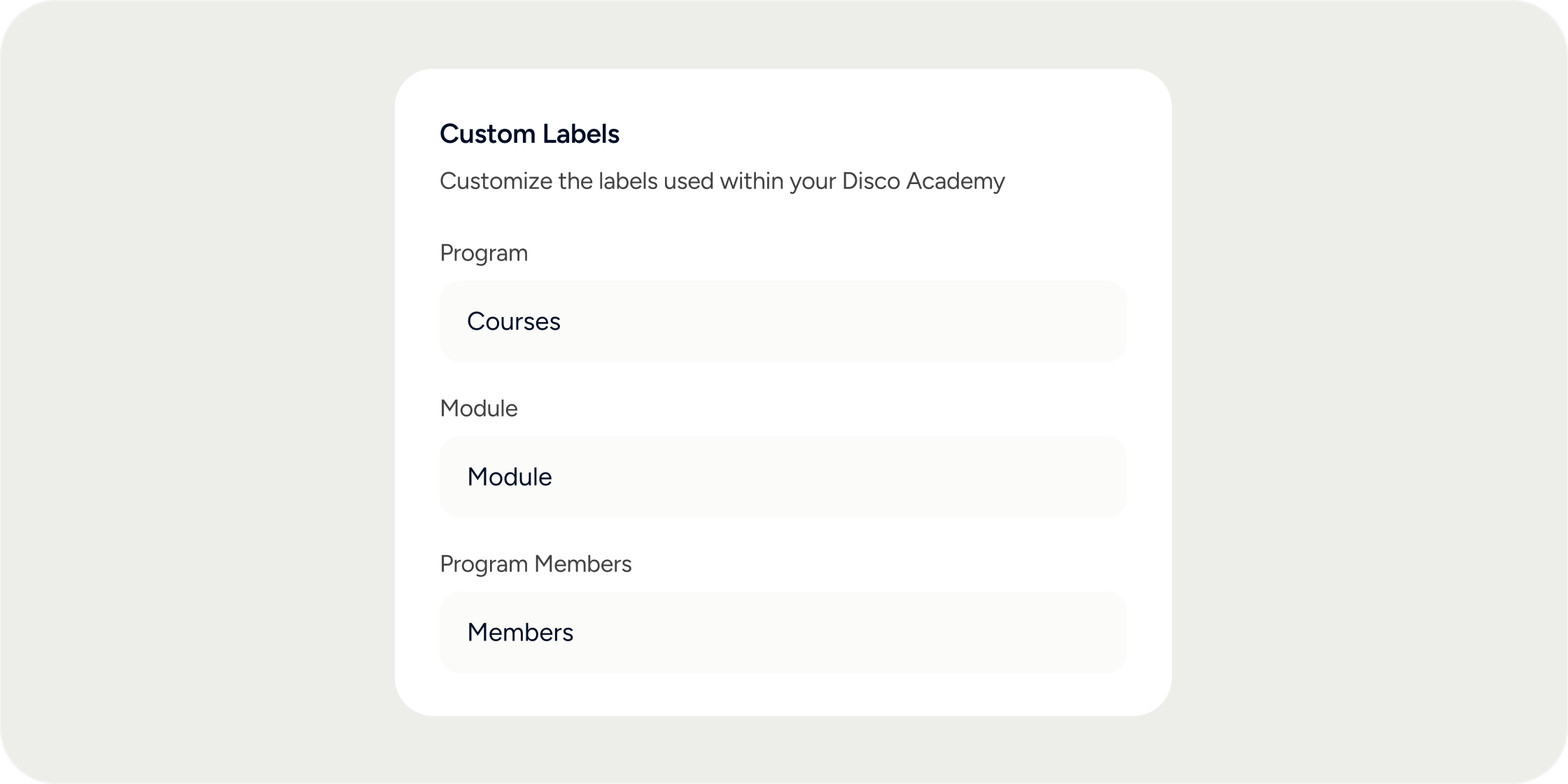
- A new “Notify assigned Members” toggle in the Assign Product/Pathway modal lets admins choose whether to send email and in-app notifications at the time of assignment
- Toggle is on by default, so existing behavior is unchanged
- Useful for pre-assigning members ahead of a program launch or when you want to communicate enrollment with your own messaging
- Community events can now be targeted to groups with “Admins Only” visibility
- Members in those groups will still see and register for the event, even if they can’t see the group itself
- The event’s group list will display “X hidden groups” to members who don’t have permission to view those groups
- Admins can now set a custom label for “Module” in the curriculum app
- Custom labels appear across the platform and in emails
- Configure under Admin > Appearance > Labels, alongside other custom label settings
- Members can mark any channel message, DM, or thread as unread
- Unread count updates in the navigation and in-app notifications, on both web and mobile
- On web: available in the overflow menu on any channel message
- On mobile: tap and hold a message to access the option from the bottom sheet menu
March 2026
Launched on March 31, 2026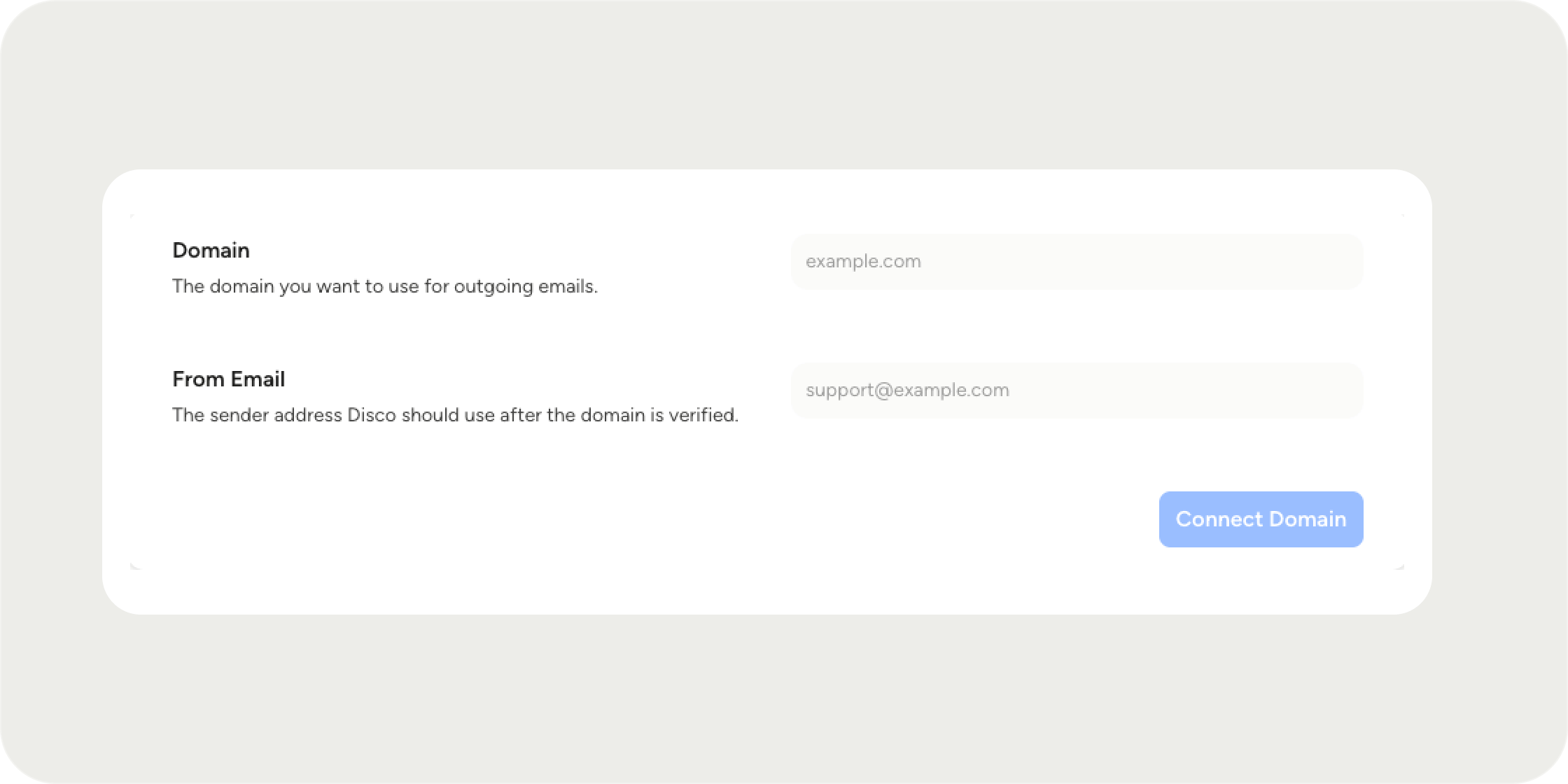
- The Product Banner block has been renamed to Hero Block, with new background modes: Image, Color, and No Fill
- Image mode lets you overlay your product’s name and type tag directly on the banner, with customizable text color
- Color mode lets you set a solid background color, and No Fill uses the page color behind the title for a minimal look
- The product info toolbar now shows consistently for admins, managers, and instructors, matching what members see
- Operators can configure a custom “From” email address for all notifications and comms sent from Disco
- Set up through Admin > Settings > Email, with DNS verification via your domain provider
- Keeps your brand front and center in every message members receive
February 2026
Launches February 27, 2026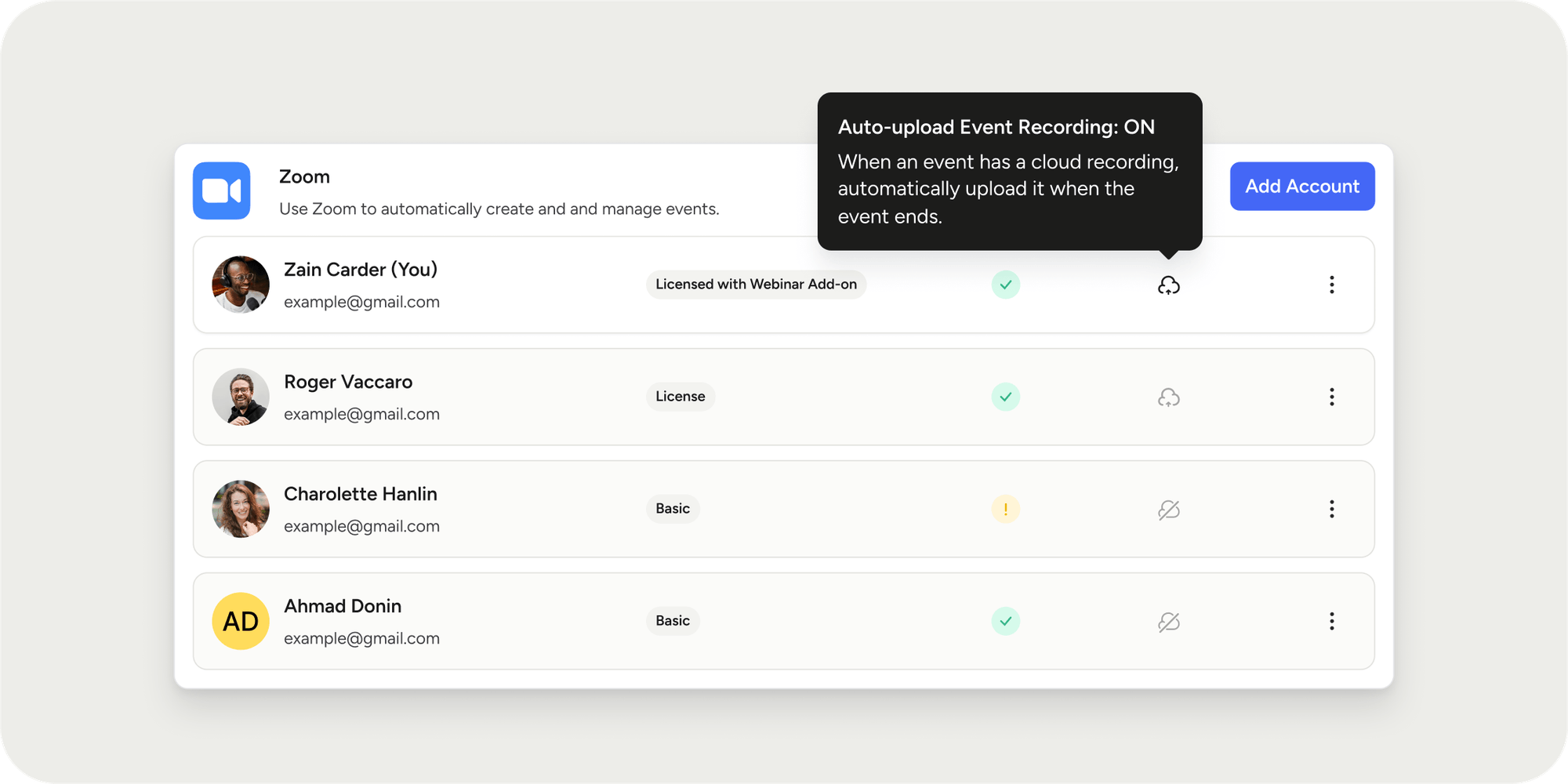
- Cloud Zoom recordings are now automatically pulled into the corresponding Disco event when auto-upload is enabled
- If auto-upload isn’t enabled, you can still manually import recordings when available
- Supports the longest recording from a session when multiple are captured
- Expanded full-screen editor gives you more space to write rich, polished content
- New footer toolbar options to attach blocks, add attachments, write with AI, and add polls
- Replaced submit and schedule buttons with a cleaner dropdown for scheduling flexibility
- Updated share post modal with a refreshed footer focused on submit options
- @mention any member who has access to the feed directly within a post
- Tagged members receive a notification once the post is published, including scheduled posts
- Works across community and product feeds
- Generate a direct link to any individual message in a chat channel
- Makes it easy to reference specific conversations, announcements, or discussions
- Available across all chat channels
- Generate new API keys, rename them, update expiration dates, and delete them from the admin panel
- Found in the same location as Webhooks under your admin settings
- Available for community admins and owners on enterprise plans
January 2026
Launches January 31, 2026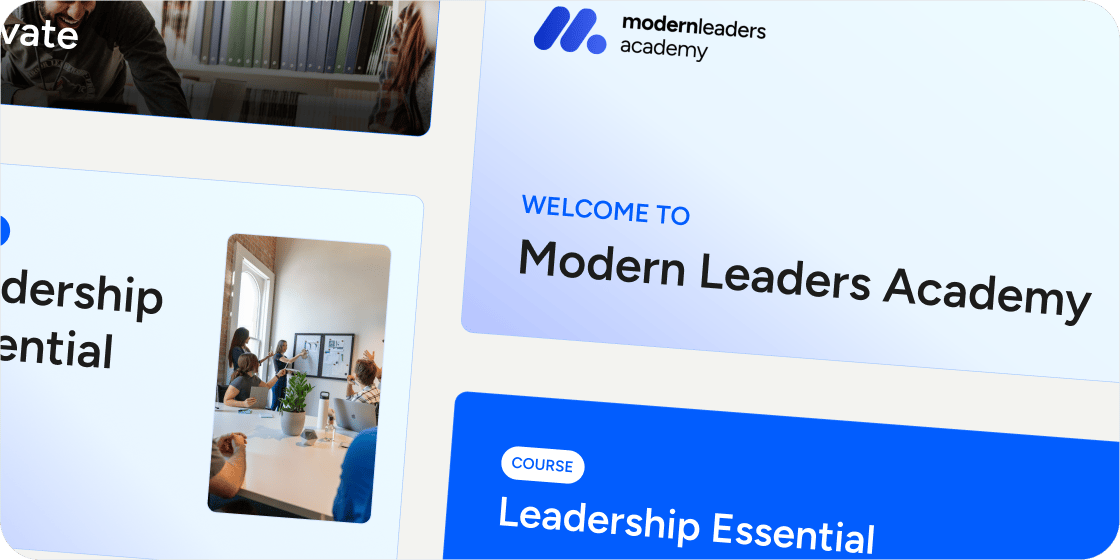
- Auto-generate imagery for content covers, product covers, banners, and event covers
- Each visual automatically reflects your organization’s colors and design style
- New products get on-brand visuals from the moment they’re created
- Assign users to groups, products, and roles at the point of invitation, no waiting required
- Community invites now include a “Grant Access to Groups or Products” step
- Product invites support pre-assignment to community groups and product sub-groups
- Invited members are pre-created immediately so you can take action on them right away
- Bulk Import CSV now supports pre-assigning invitees to up to 100 products and sub-groups
- Deactivated members immediately lose platform access and can no longer log in
- Archived users are excluded from new program enrollments, group assignments, and automations
- All historical learning data is preserved for reporting purposes
- Apply changes to one event or all future events in a series in a single action
- RSVP’d members are notified when updates affect multiple events
- Clone full curriculum structures from one Disco instance to another via API
- Built for B2B organizations managing multiple communities or partner programs
- Two-way sync of profile fields and custom fields between Disco and external systems
- Enables deeper integrations with HRIS platforms, CRMs, and internal tools
- Disco has secured SOC 2 Type 1 compliance
- Helps accelerate security reviews with enterprise customers and prospects