

Overview
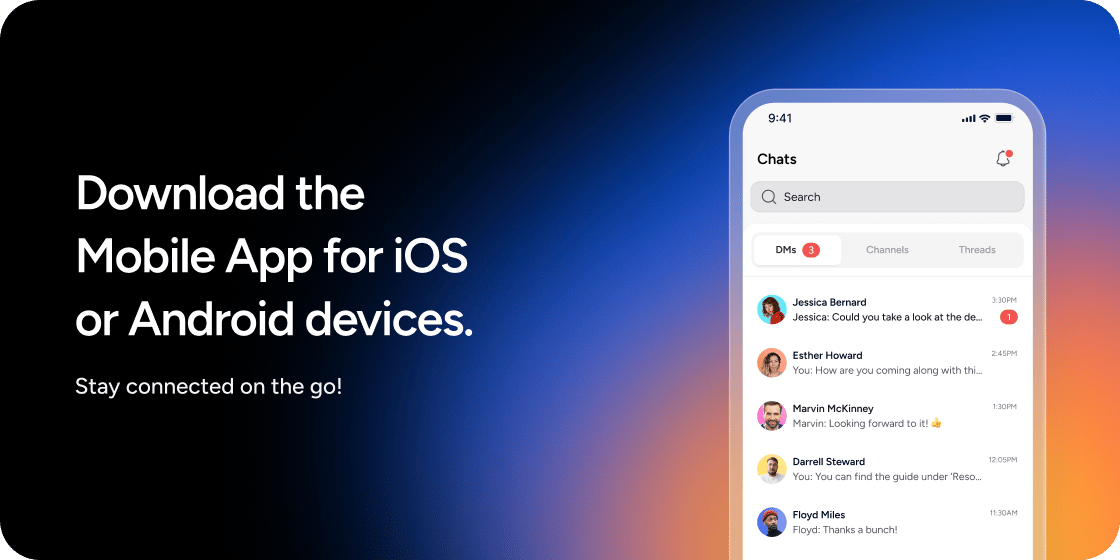
The Disco mobile app brings the core Disco experience to your phone, so Members can engage with content, connect with peers, and stay on top of community activity without being tied to a desktop browser.Download the App
The Disco mobile app is available on both major mobile platforms. iOS- Open the App Store on your device.
- Search for Disco or tap the download link below.
- Tap Get to install the app.
- Open the Google Play Store on your device.
- Search for Disco or tap the download link below.
- Tap Install to download the app.
You must have an existing Disco account to sign in. The mobile app does not support new account creation at this time.
Sign In to Your Academy
Once the app is installed, follow these steps to access your Academy:- Open the Disco app on your device.
- Tap Sign In.
- Enter the email address associated with your Disco account.
- Complete the login flow (email magic link or SSO, depending on your Academy’s settings).
- Select your Academy from the list if you belong to more than one.
Share the App with Your Members
Each Academy has its own QR code download links that make it easy to direct Members to the app. The links follow this pattern:- iOS: https://[your-academy].disco.co/mobile-downloads/ios
- Android: https://[your-academy].disco.co/mobile-downloads/android
- Go to the left navigation of your Academy.
- Click Add App.
- Select Content, then Text.
- Add a title and description, then type /qr to embed a QR code.
- Paste the appropriate iOS or Android download URL into the QR code field.
- Repeat for the other platform.
What Members Can Do
Members can use the mobile app to:- Browse and access Programs and course content
- Navigate content folders by scrolling horizontally in the navigation bar
- Participate in community discussions and channels
- View and RSVP to Events
- Connect with other Members via direct messages
- Update their profile and notification preferences
- Receive push notifications for community activity
What Admins Can Do
Community Admins have access to a subset of admin features in the beta release:- View and moderate community discussions
- Manage Member profiles and roles
- Send direct messages to Members
- Access community analytics at a summary level
FAQ
Is the mobile app free to download?
Is the mobile app free to download?
Yes, the Disco app is free to download on both iOS and Android. Access is tied to your existing Disco membership or admin account.
Can I sign up for a new Disco account in the app?
Can I sign up for a new Disco account in the app?
You need an existing Disco account to sign in. Create your account via the desktop browser first, then sign in on mobile.
Does the app work for white-labeled or custom-branded Academies?
Does the app work for white-labeled or custom-branded Academies?
The Disco App has Disco branding, but Custom Branded Mobile Apps are available on an Enterprise plan.
Can I complete lessons and mark progress in the app?
Can I complete lessons and mark progress in the app?
You can access and view lesson content in the app. Completion tracking and certificates are not fully supported in the beta. Check the desktop version to see accurate completion status.
Will I receive notifications on my phone?
Will I receive notifications on my phone?
Yes. Once you install the app and sign in, you can enable push notifications for community activity, direct messages, and Events. Manage your notification preferences in your profile settings.
What happens if my Academy uses SSO?
What happens if my Academy uses SSO?
SSO-based login is supported in the mobile app. You will be redirected to your identity provider to authenticate, then returned to the app.
Is the app available in all countries?
Is the app available in all countries?
The app is available wherever the App Store and Google Play are accessible. There are no region-specific restrictions from Disco at this time.
Can multiple Admins use the app for the same Academy?
Can multiple Admins use the app for the same Academy?
Yes. Any Admin with an account can download and sign in to the app. Each person signs in with their own credentials.
Will my data and content sync between mobile and desktop?
Will my data and content sync between mobile and desktop?
Yes. The mobile app connects to the same underlying Academy as the desktop version. Any changes made on mobile are reflected on desktop, and vice versa.