

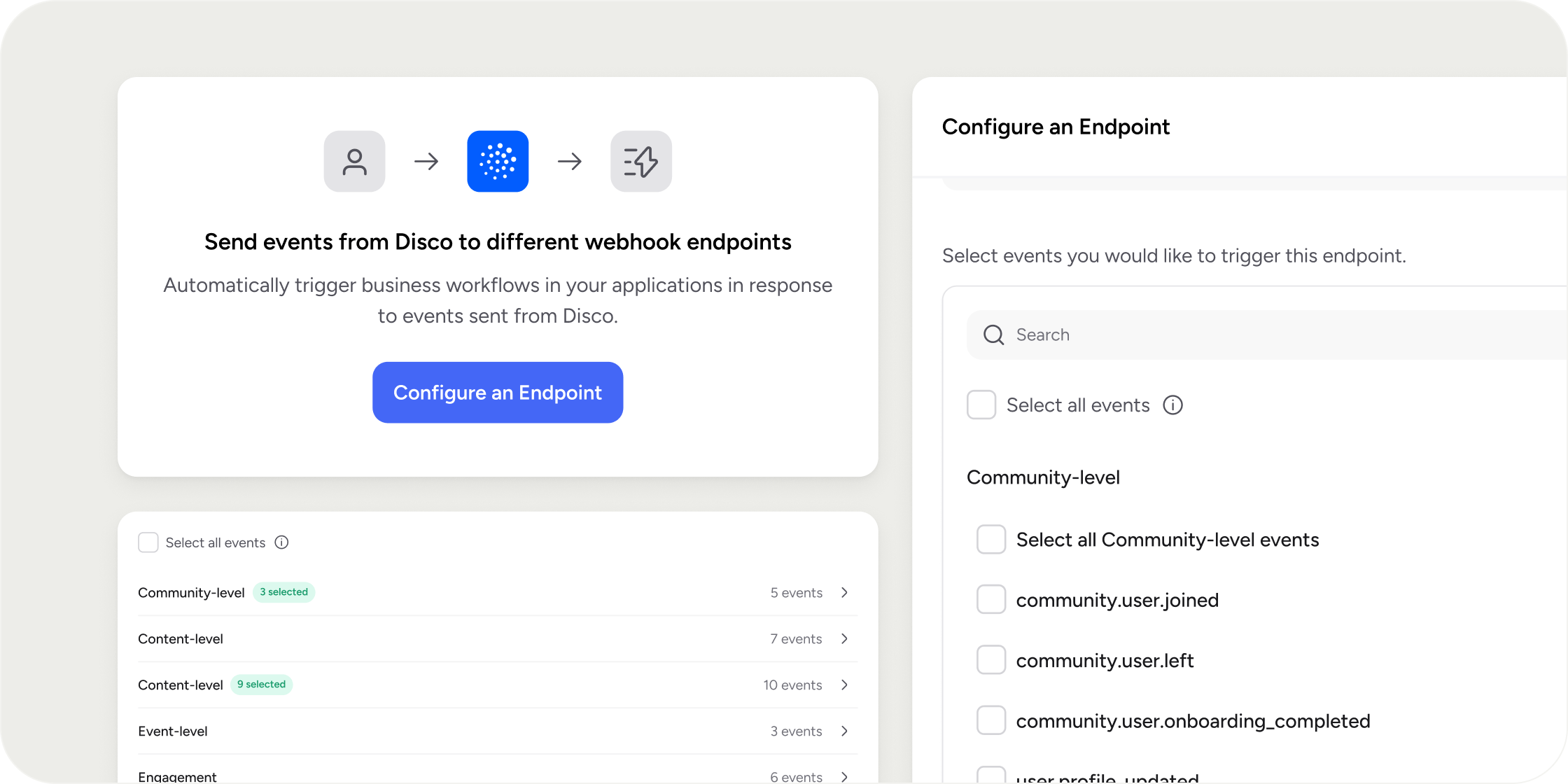
Overview
Webhooks are the push-based half of Disco’s developer toolkit. When a Member completes a lesson, joins a Program, or submits an assignment, Disco sends the event payload to every endpoint subscribed to that event. Use this for live dashboards, CRM syncs, Member notifications, and downstream automations. Webhooks are available on the Enterprise plan only, and only Academy Owners and Admins can configure them. Every request is signed, and Disco retains delivery logs for 30 days.Create a Webhook Endpoint
Endpoints are configured in the Admin Area.- Go to Admin Area → Settings → Webhooks.
- Click + Endpoint.
- Enter an Endpoint URL. HTTPS is required. HTTP URLs are rejected.
- Optionally configure Custom Headers as key and value pairs. Keys that start with X-Disco- are reserved and cannot be used.
- Select the events this endpoint should receive. Events are grouped by category: Community, Product, Pathway, Content, Engagement, Event, and Group. The same event can be sent to multiple endpoints, and one endpoint can receive multiple events.
- Click Save.
Disable or Re-enable an Endpoint
Disabling an endpoint stops new events without deleting the configuration or losing logs.- Go to Admin Area → Settings → Webhooks.
- Locate the endpoint in the Webhook Endpoints table.
- Open the Action menu and select Disable Endpoint.
Delete an Endpoint
Deletion removes the endpoint and all its logs permanently.- Go to Admin Area → Settings → Webhooks.
- Locate the endpoint in the Webhook Endpoints table.
- Open the Action menu and select Delete Endpoint.
View Event History and Retry Failed Events
Each endpoint keeps a full log of every event it has attempted to send.- Open the endpoint and switch to the Send Logs tab.
- Use filters or search to locate specific events.
- Select an event to view its full request, response, headers, and payload.
- To retry a failed event, open its Action menu and select Resend.
Validate Signed Webhook Requests
Every webhook request is signed using the RFC-9421 standard (https://www.rfc-editor.org/rfc/rfc9421.html). Disco uses the endpoint’s Signing Secret to create the Signature, built from the components specified in the Signature-Input header. Use the Content-Digest header to verify the integrity of the message body. We recommend the http-message-signatures package (https://www.npmjs.com/package/http-message-signatures). A minimal TypeScript example:Important Considerations
- Disco does not automatically retry failed deliveries. Any non-2xx response or a timeout is logged as a failed delivery, and you must trigger a retry manually from Send Logs.
- Bulk retry is not available. If many events fail during a receiver outage, each one must be resent individually.
- Event delivery order is not guaranteed. Do not assume, for example, that a user_joined event always arrives before a related user_completed event.
- Logs are retained for 30 days. Older events are deleted and cannot be recovered, even if the endpoint is re-enabled.
- Signing Secrets cannot be rotated. If a secret is exposed, create a new endpoint with a new secret and point the receiver at it.
Examples
A cohort course syncs progress to a CRM. An endpoint subscribed to content.user_completed and product.user_completed updates each Member’s contact record so the CS team can spot disengagement early. A professional community sends celebration messages on lesson completion. An endpoint subscribed to content.user_completed posts to a Slack workspace every time a Member finishes a lesson. A bootcamp powers an external leaderboard. A single endpoint subscribes to Content, Product, and Pathway completion events, and the internal dashboard updates in real time.FAQ
What happens if my endpoint is temporarily down?
What happens if my endpoint is temporarily down?
Delivery fails and Disco records it in the Send Logs. There are no automatic retries. Once the endpoint is back up, retry the failed events manually from Send Logs.
Can the same event be sent to multiple endpoints?
Can the same event be sent to multiple endpoints?
Yes. Subscribe any number of endpoints to the same event. Each endpoint receives an independent delivery with its own log.
What happens to an endpoint while it is disabled?
What happens to an endpoint while it is disabled?
Disco stops sending new events to the endpoint. The configuration and existing logs are preserved, and you can edit the endpoint while disabled. Re-enable it at any time to resume delivery.
Are webhook requests secure?
Are webhook requests secure?
Yes. All requests are sent over HTTPS and signed with the endpoint’s Signing Secret using the RFC-9421 standard. You can also configure Custom Headers for additional receiver-side authentication.
What happens when I retry an event?
What happens when I retry an event?
Disco resends the original payload using the endpoint’s current URL and Custom Headers. A new log entry is created with the same event ID, tagged Resent and linked to the original.
How long are event logs available?
How long are event logs available?
30 days. Older logs are deleted automatically and cannot be recovered, even if the endpoint is re-enabled.
Can I rotate a Signing Secret?
Can I rotate a Signing Secret?
No. The secret is generated once at endpoint creation and cannot be changed. If a secret is exposed, create a new endpoint, point the receiver at the new Signing Secret, and delete the old endpoint.
What is the request timeout?
What is the request timeout?
The timeout is fixed. Any request that runs longer is logged as a failed delivery. The exact value is documented in the OpenAPI spec at https://api.production.services.disco.co/v1/docs.
Why are my events sometimes processed out of order?
Why are my events sometimes processed out of order?
Delivery order is not guaranteed. Build receivers that can handle events in any order, especially when two related events fire close together.
Can I use HTTP instead of HTTPS for an endpoint?
Can I use HTTP instead of HTTPS for an endpoint?
No. HTTPS is required. HTTP URLs are rejected at creation.
Can I use Custom Headers that start with X-Disco-?
Can I use Custom Headers that start with X-Disco-?
No. Keys that start with X-Disco- are reserved for Disco-managed headers like signing metadata.
Does Disco send a webhook event for assignment grading?
Does Disco send a webhook event for assignment grading?
No. content.user_submitted_assignment fires on submission and includes submission details like text, link, attachment IDs, due date, and visibility, but it does not include graded scores. For scored completions, content.user_completed_quiz includes score, did_pass, and pass_percentage. Export assignment grading data from Admin Insights in the meantime.
Are there webhook events for Program progress and completion?
Are there webhook events for Program progress and completion?
Yes. Examples include content.user_completed, content.user_completed_quiz, product.user_completed_curriculum_module, product.user_completed, pathway.user_completed, and pathway.user_completed_pathway_group. See the full list in the OpenAPI docs at https://api.production.services.disco.co/v1/docs.
Can I access webhooks on a non-Enterprise plan?
Can I access webhooks on a non-Enterprise plan?
No. Webhooks are an Enterprise-only feature. The Webhooks settings page is hidden on other plans.
Who in my Academy can create or edit webhook endpoints?
Who in my Academy can create or edit webhook endpoints?
Only Academy Owners and Admins. Program Managers and Instructors do not have access to the Webhooks settings page.