

Overview
- Owners, Admin, Product Manager, or Instructor access required
- Works in the Content area of Collections, Curriculums, or via Global Add
- Content is fully editable after generation
How to generate course content with Disco AI
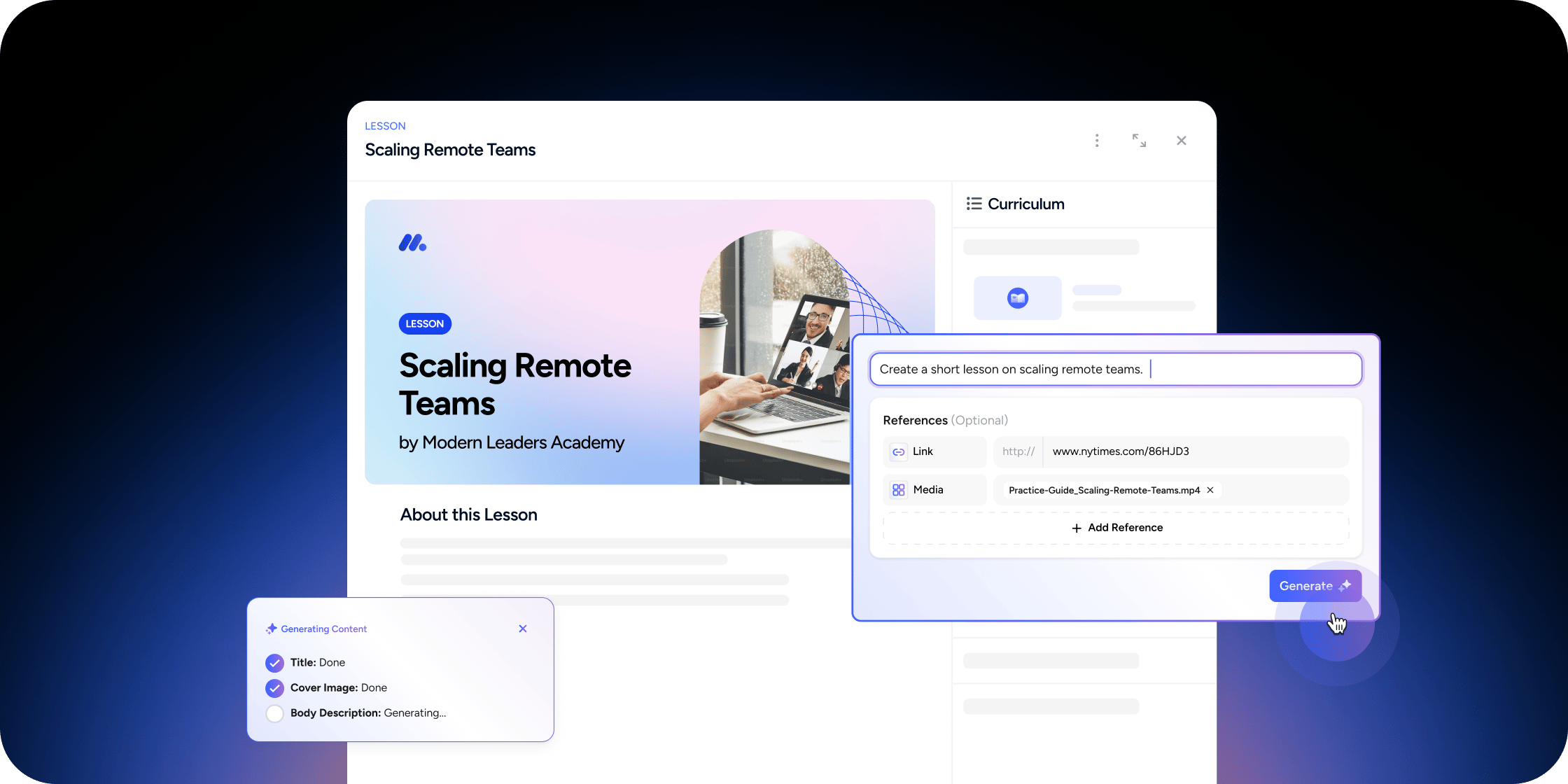
The Content Generator uses your prompt and selected sources to create draft lesson material you can review and publish.Step 1: Open the Content Generator
- Go to the Content area from a Collection app, Curriculum app, or use Global Add
- Select the AI option or go to the Generate tab
Step 2: Enter your lesson prompt
- In the input field, describe your topic or objective clearly (e.g., “Introduction to Behavioral Economics”)
- (Optional) Attach relevant context:
- Click Add Media to include files from the Media Library
- Click Add Content to pull from your Content Library
- Use Add Link to pull in URLs or paste new links from the Sources area
- (Optional) Enable Web Search to pull extra context from public sources
- (Optional) Check the Reference module content box to use related lessons as input
Step 3: Generate and edit content
- Click Generate
- Wait a few moments for Disco AI to draft the content
- Review and refine the generated content to fit your goals and audience
- Publish when ready
FAQ
Can I write prompts in other languages?
Can I write prompts in other languages?
Yes. Disco AI supports multilingual inputs and will respond in the language you use.
What kind of prompts work best?
What kind of prompts work best?
Clear, specific descriptions like “Create a lesson on climate change impacts for middle school learners.”
How long does generation take?
How long does generation take?
Most drafts are created within a few minutes. Complex prompts may take longer.