> ## Documentation Index
> Fetch the complete documentation index at: https://docs.disco.co/llms.txt
> Use this file to discover all available pages before exploring further.
# Program Tags
Product tags allow Admins to categorize products to improve filtering and discovery on the Explore page. Tags help Members quickly find relevant products, increasing engagement and surfacing the right content more efficiently.
 ### **How It Works**
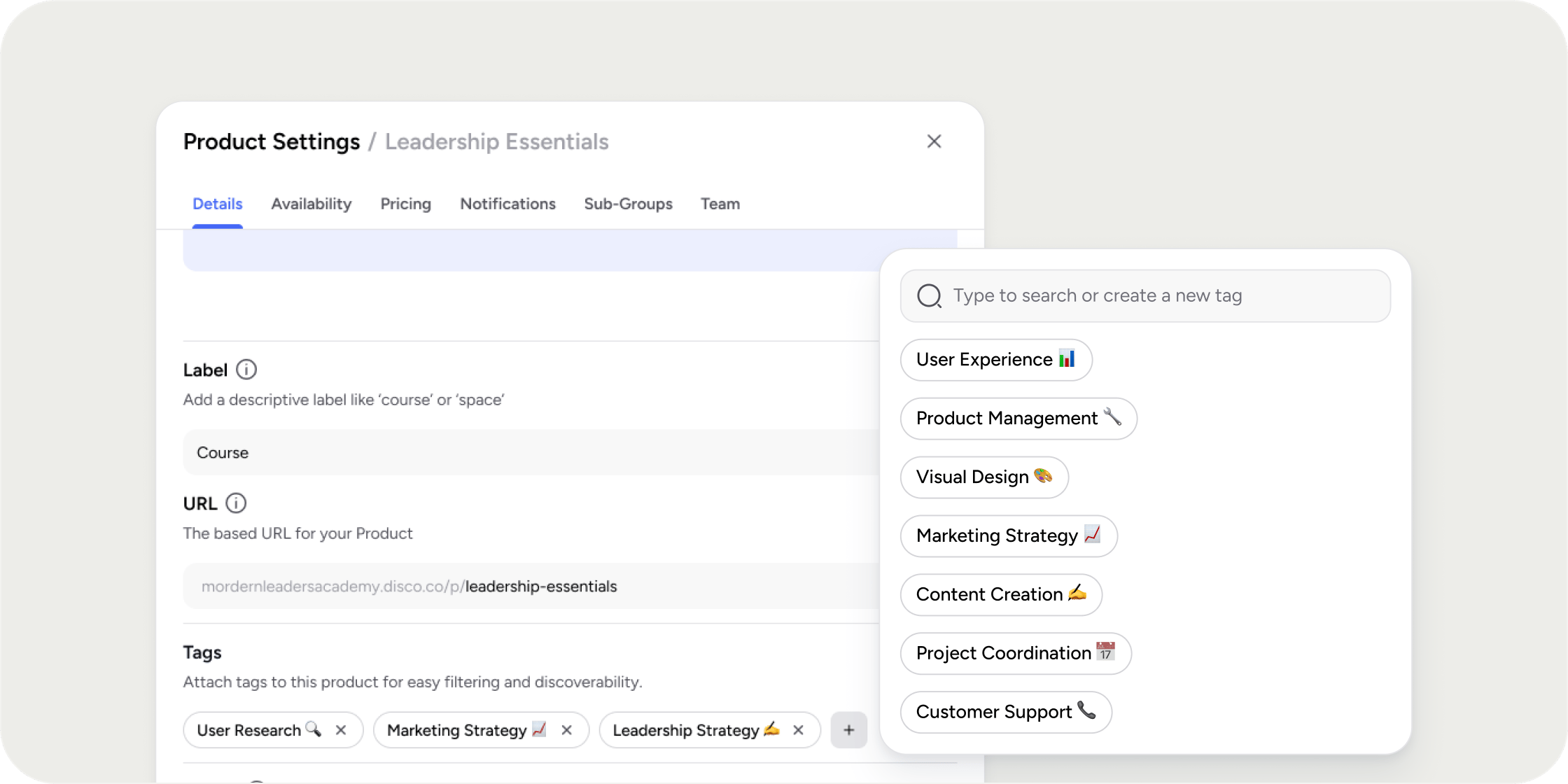
Tags are created and managed by Admins from either the Admin area or directly within the Product Settings drawer. Tags are applied to products from the Product Settings drawer and are only visible to Admins in the backend. Members do not see tags on the product itself, but can use tags to filter content on the Explore page for a more personalized browsing experience.
### **How To Create and Apply Tags to Products**
**In the Admin Area:**
1. Navigate to Settings > Tags.
2. Click “**Add Tag**” to create your first tag.
3. Enter in the tag name and click “**Add**” or press Enter to save.
4. All tags appear in the Tags table. Use the top-right button to add more tags or the 3-dot icon to delete a tag.
**In the Product Settings Drawer:**
1. Open the settings drawer of the product to be tagged.
2. In the **Details** tab, scroll to the **Tags** section.
3. Click ‘**Add Tag**’ to open the tag picker.
* If tags have been created, select tag(s) from the picker.
* If no tags exist, or a new tag needs to be added for this product, type to create new ones.
4. Click the “**Save**” button at the bottom of the drawer.
### **Important Considerations**
* Tags are currently supported for Products only.
* Members can filter by tags on the Explore page, but cannot view or manage the tags themselves.
### **FAQs**
Not at this time. Tags can only be applied to Products.
Members can use tags as filters on the Explore page.
Yes. Admins can apply as many relevant tags as needed to a product.
ags improve filtering but do not currently influence search when searching for a product.
Yes, tags can be renamed from the Admin > Settings > Tags page. Click the vertical … next to the tag name, then click “Edit”. Enter a new name and save the changes.
### **How It Works**
Tags are created and managed by Admins from either the Admin area or directly within the Product Settings drawer. Tags are applied to products from the Product Settings drawer and are only visible to Admins in the backend. Members do not see tags on the product itself, but can use tags to filter content on the Explore page for a more personalized browsing experience.
### **How To Create and Apply Tags to Products**
**In the Admin Area:**
1. Navigate to Settings > Tags.
2. Click “**Add Tag**” to create your first tag.
3. Enter in the tag name and click “**Add**” or press Enter to save.
4. All tags appear in the Tags table. Use the top-right button to add more tags or the 3-dot icon to delete a tag.
**In the Product Settings Drawer:**
1. Open the settings drawer of the product to be tagged.
2. In the **Details** tab, scroll to the **Tags** section.
3. Click ‘**Add Tag**’ to open the tag picker.
* If tags have been created, select tag(s) from the picker.
* If no tags exist, or a new tag needs to be added for this product, type to create new ones.
4. Click the “**Save**” button at the bottom of the drawer.
### **Important Considerations**
* Tags are currently supported for Products only.
* Members can filter by tags on the Explore page, but cannot view or manage the tags themselves.
### **FAQs**
Not at this time. Tags can only be applied to Products.
Members can use tags as filters on the Explore page.
Yes. Admins can apply as many relevant tags as needed to a product.
ags improve filtering but do not currently influence search when searching for a product.
Yes, tags can be renamed from the Admin > Settings > Tags page. Click the vertical … next to the tag name, then click “Edit”. Enter a new name and save the changes.