> ## Documentation Index
> Fetch the complete documentation index at: https://docs.disco.co/llms.txt
> Use this file to discover all available pages before exploring further.
# Mobile App
This article provides an overview of the functionalities offered in the beta release of the Disco mobile app, including capabilities and limitations for both Community Admins and Members.
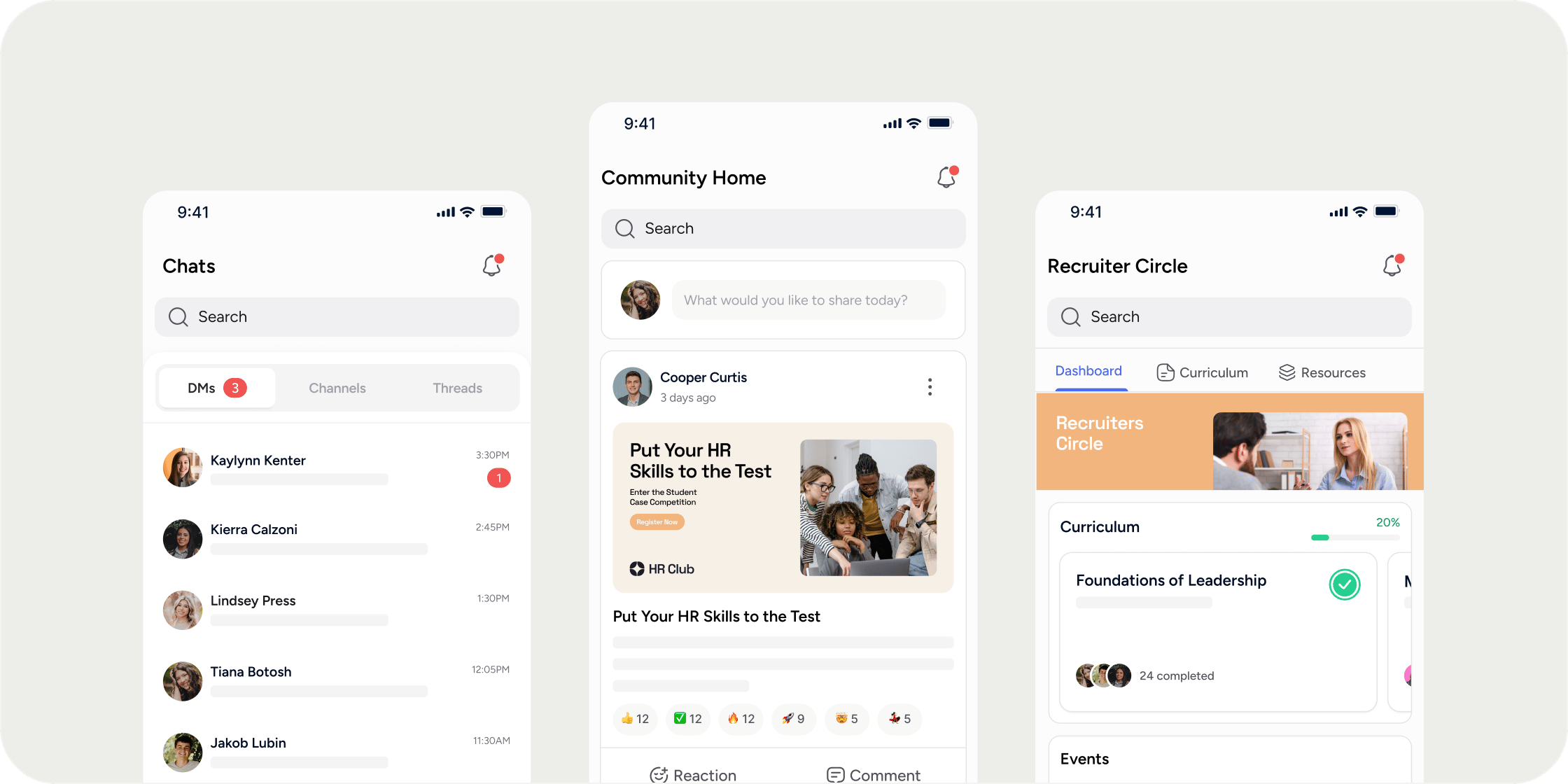 Disco’s mobile app is available for direct download using the following links:
[iOS](https://apps.apple.com/us/app/disco-community-learning/id6471874836)
[Android](https://play.google.com/store/apps/details?id=co.disco.app)
**Important Considerations:**
* The Disco Mobile App is a **companion app** that ultimately augments and enhances the Disco Community Member experience.
* \*\*New Members of your Community should start with onboarding via their desktop. \*\* Admin/s should refer to the [Admin limitations below](https://docs.disco.co/features/mobile-app#for-admins) to better understand what Admin functions are available in the mobile app.
## **How It Works**
### **Current Features:**
* Community Home: Access the community's main Home Page.
* Community Switcher: Switch between different communities.
* Product Experience: View and interact with the product Dashboard, Curriculum, Collection, Feed, Custom Links and Embeds, etc.
* Channels & Threads: Participate in discussions and follow threads
* Direct Messages: Initiate private conversations with community members.
* Notifications: Receive and manage push notifications.
* Posts in Feeds: Create posts in Feeds.
* React & Comment: Respond to posts and content by reacting or commenting.
* Search: Find members, content, or products or events within the app.
* More: Navigate through Member Profile, Events, Bookmarks, Settings, etc.
### **Current Limitations and Considerations:**
### **For Admins**
Admins currently **cannot**:
* Create new products or edit/manage existing ones.
* Add new left nav apps/sections or reorder/edit the left nav.
* Create new channels or edit/manage existing ones.
* Create new events or editing/managing existing events
* Create new content or edit/manage existing content.
* Share events or content.
* Invite or remove members or access the Admin Dashboard
### **For Members**
Members currently **cannot**:
* Register for new products
* Update account settings
## **About The Disco Mobile Experience**
The Mobile Navigation integrates the desktop experience into our mobile app, allowing Admins and Members to actively engage with the community on the go.
Admins can choose whether Members initially land on the Academy Apps Menu or the For You Screen when they open the mobile app. Configure this under **Admin > Settings**. See [Academy Setup](/general-settings#default-mobile-app-screen) for details.
## **How It Works**
The bottom navigation highlights key sections, allowing users to move through different areas, including:
1. **Community Menu:** Access all community sections and spaces.
2. **Registered Products:** Access enrolled products.
3. **Global Actions:** Access universal functions across the app ie. create new DMs or new Post.
4. **Chat Discussions:** Engage in private or public conversations and discussions.
5. **More:** Discover additional functionalities such as Events, Bookmarks, Settings, and Profile.
##
## **How To Navigate**
**Tab 1: Community Menu:**
This tab is consistent with the desktop's left navigation. To access the community switcher, tap the community badge and name.
**Tab 2: Registered Products**
Access the list of registered products through this tab. Tap on the product to access the dashboard, curriculum, collections, and beyond.
**Tab 3: Global Actions**
The Global Actions button provides the most essential engagement functions:
* **Create New Post**: Share updates, insights, or ask questions in a feed.
* **Create New Channel Message**: Send messages to a community channel or specific product channels.
* **Create New Direct Messages**: Send 1:1 messages or private messages to a small group.
To start, tap on the blue icon in the middle of the bottom bar, select the desired action, then select the destination for the post or message. It could be the community feed or a specific channel within a product.
**Tab 4: Chats & Discussions**
Disco Mobile App offers 3 forms of communication:
* Direct Messages
* Channels
* Threads
Tap on a channel or a message to start engaging in the conversation.
**Tab 5: More**
Explore additional options on this tap offer, including:
* Update member profile
* Discover upcoming events within the community
* Access saved content
Beyond these features, this tab also provides essential support and configuration options:
* Help & Support
* Leave Community
* Sign Out
### **Helpful Considerations**
* At the top, the global search box is always visible for easy access.
* Notification bell at the top right corner of every tab
Disco’s mobile app is available for direct download using the following links:
[iOS](https://apps.apple.com/us/app/disco-community-learning/id6471874836)
[Android](https://play.google.com/store/apps/details?id=co.disco.app)
**Important Considerations:**
* The Disco Mobile App is a **companion app** that ultimately augments and enhances the Disco Community Member experience.
* \*\*New Members of your Community should start with onboarding via their desktop. \*\* Admin/s should refer to the [Admin limitations below](https://docs.disco.co/features/mobile-app#for-admins) to better understand what Admin functions are available in the mobile app.
## **How It Works**
### **Current Features:**
* Community Home: Access the community's main Home Page.
* Community Switcher: Switch between different communities.
* Product Experience: View and interact with the product Dashboard, Curriculum, Collection, Feed, Custom Links and Embeds, etc.
* Channels & Threads: Participate in discussions and follow threads
* Direct Messages: Initiate private conversations with community members.
* Notifications: Receive and manage push notifications.
* Posts in Feeds: Create posts in Feeds.
* React & Comment: Respond to posts and content by reacting or commenting.
* Search: Find members, content, or products or events within the app.
* More: Navigate through Member Profile, Events, Bookmarks, Settings, etc.
### **Current Limitations and Considerations:**
### **For Admins**
Admins currently **cannot**:
* Create new products or edit/manage existing ones.
* Add new left nav apps/sections or reorder/edit the left nav.
* Create new channels or edit/manage existing ones.
* Create new events or editing/managing existing events
* Create new content or edit/manage existing content.
* Share events or content.
* Invite or remove members or access the Admin Dashboard
### **For Members**
Members currently **cannot**:
* Register for new products
* Update account settings
## **About The Disco Mobile Experience**
The Mobile Navigation integrates the desktop experience into our mobile app, allowing Admins and Members to actively engage with the community on the go.
Admins can choose whether Members initially land on the Academy Apps Menu or the For You Screen when they open the mobile app. Configure this under **Admin > Settings**. See [Academy Setup](/general-settings#default-mobile-app-screen) for details.
## **How It Works**
The bottom navigation highlights key sections, allowing users to move through different areas, including:
1. **Community Menu:** Access all community sections and spaces.
2. **Registered Products:** Access enrolled products.
3. **Global Actions:** Access universal functions across the app ie. create new DMs or new Post.
4. **Chat Discussions:** Engage in private or public conversations and discussions.
5. **More:** Discover additional functionalities such as Events, Bookmarks, Settings, and Profile.
##
## **How To Navigate**
**Tab 1: Community Menu:**
This tab is consistent with the desktop's left navigation. To access the community switcher, tap the community badge and name.
**Tab 2: Registered Products**
Access the list of registered products through this tab. Tap on the product to access the dashboard, curriculum, collections, and beyond.
**Tab 3: Global Actions**
The Global Actions button provides the most essential engagement functions:
* **Create New Post**: Share updates, insights, or ask questions in a feed.
* **Create New Channel Message**: Send messages to a community channel or specific product channels.
* **Create New Direct Messages**: Send 1:1 messages or private messages to a small group.
To start, tap on the blue icon in the middle of the bottom bar, select the desired action, then select the destination for the post or message. It could be the community feed or a specific channel within a product.
**Tab 4: Chats & Discussions**
Disco Mobile App offers 3 forms of communication:
* Direct Messages
* Channels
* Threads
Tap on a channel or a message to start engaging in the conversation.
**Tab 5: More**
Explore additional options on this tap offer, including:
* Update member profile
* Discover upcoming events within the community
* Access saved content
Beyond these features, this tab also provides essential support and configuration options:
* Help & Support
* Leave Community
* Sign Out
### **Helpful Considerations**
* At the top, the global search box is always visible for easy access.
* Notification bell at the top right corner of every tab