> ## Documentation Index
> Fetch the complete documentation index at: https://docs.disco.co/llms.txt
> Use this file to discover all available pages before exploring further.
# AI Content Generator
You’ll generate structured lesson content in minutes by entering a topic or goal into the AI-powered Content Generator.
 ### Overview
* Owners, Admin, Product Manager, or Instructor access required
* Works in the Content area of Collections, Curriculums, or via Global Add
* Content is fully editable after generation
### How to generate course content with Disco AI
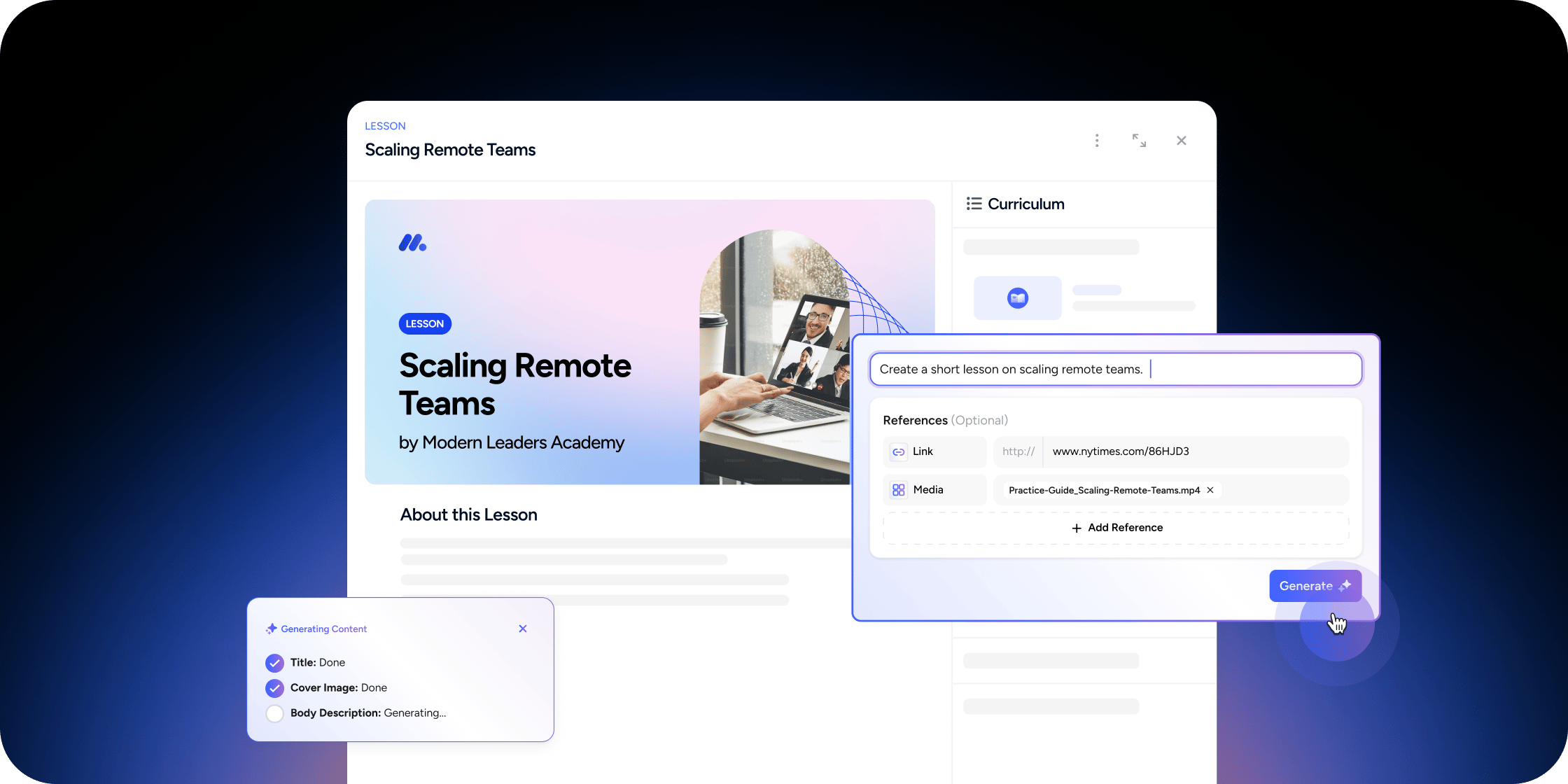
The Content Generator uses your prompt and selected sources to create draft lesson material you can review and publish.
#### Step 1: Open the Content Generator
1. Go to the **Content** area from a Collection app, Curriculum app, or use **Global Add**
2. Select the **AI** option or go to the **Generate** tab
#### Step 2: Enter your lesson prompt
1. In the input field, describe your topic or objective clearly (e.g., "Introduction to Behavioral Economics")
2. (Optional) Attach relevant context:
* Click **Add Media** to include files from the Media Library
* Click **Add Content** to pull from your Content Library
* Use **Add Link** to pull in URLs or paste new links from the Sources area
3. (Optional) Enable **Web Search** to pull extra context from public sources
4. (Optional) Check the **Reference module content** box to use related lessons as input
#### Step 3: Generate and edit content
1. Click **Generate**
2. Wait a few moments for Disco AI to draft the content
3. Review and refine the generated content to fit your goals and audience
4. Publish when ready
This gives you a well-structured draft you can personalize and reuse.
### FAQ
Yes. Disco AI supports multilingual inputs and will respond in the language you use.
Clear, specific descriptions like "Create a lesson on climate change impacts for middle school learners."
Most drafts are created within a few minutes. Complex prompts may take longer.
### Overview
* Owners, Admin, Product Manager, or Instructor access required
* Works in the Content area of Collections, Curriculums, or via Global Add
* Content is fully editable after generation
### How to generate course content with Disco AI
The Content Generator uses your prompt and selected sources to create draft lesson material you can review and publish.
#### Step 1: Open the Content Generator
1. Go to the **Content** area from a Collection app, Curriculum app, or use **Global Add**
2. Select the **AI** option or go to the **Generate** tab
#### Step 2: Enter your lesson prompt
1. In the input field, describe your topic or objective clearly (e.g., "Introduction to Behavioral Economics")
2. (Optional) Attach relevant context:
* Click **Add Media** to include files from the Media Library
* Click **Add Content** to pull from your Content Library
* Use **Add Link** to pull in URLs or paste new links from the Sources area
3. (Optional) Enable **Web Search** to pull extra context from public sources
4. (Optional) Check the **Reference module content** box to use related lessons as input
#### Step 3: Generate and edit content
1. Click **Generate**
2. Wait a few moments for Disco AI to draft the content
3. Review and refine the generated content to fit your goals and audience
4. Publish when ready
This gives you a well-structured draft you can personalize and reuse.
### FAQ
Yes. Disco AI supports multilingual inputs and will respond in the language you use.
Clear, specific descriptions like "Create a lesson on climate change impacts for middle school learners."
Most drafts are created within a few minutes. Complex prompts may take longer.